
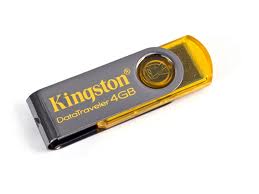
I use the PS2 slim type SCPH-79006, kingston 4GB USB brand, already in testing with the game winning eleven 10, NFS most wanted. the result is smooth, loading may be slower game split second.
fortunately many tablets play ps2 from flash or HDD .. in addition to its optical Melepasmu * durable * anyways optical ps2 price also muahal anyway. oke deh more ...
You need a minimum of 4GB flash (ps2 game big bro) ni flash image that I use ..
fortunately many tablets play ps2 from flash or HDD .. in addition to its optical Melepasmu * durable * anyways optical ps2 price also muahal anyway. oke deh more ...
You need a minimum of 4GB flash (ps2 game big bro) ni flash image that I use ..
aja ni direct material
copy all the files *. elves to flash you. oiya .. because the flash must be fat32 format ntfs format can not kebaca, how to format it really easy to just plug your flash pc then right click on your flash drive and select format fat32 n start. DONE ...
extract so you got the file and then burn it to a cd ULE_CD.ISO
ulaunch.iso burn to regular cd aja. remember that in burn quite ulaunch.iso wrote, then can not use the cd that the model can be removed again contents (cd RW intention) software burn misalNero use by right clicking on ulaunch then click open with nero and ready to burn. ni image
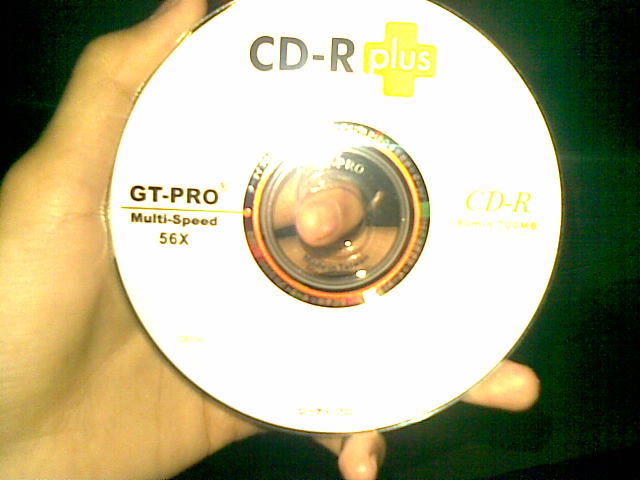
CDs that I use.
ulaunch.iso burn to regular cd aja. remember that in burn quite ulaunch.iso wrote, then can not use the cd that the model can be removed again contents (cd RW intention) software burn misalNero use by right clicking on ulaunch then click open with nero and ready to burn. ni image
CDs that I use.
dah-burn? immediately wrote earlier tapes run into your ps2. The way to get into ulaunchelf explorer, might be rather difficult later on you to read the optics ps2 cd burn results earlier but just try to continue to be yaa. I wrote until 2 cd burn for his ulaunch * because * dah stress
ni image if already entered into ulaunch
ni image if already entered into ulaunch

plug your memory card into the port 0 >> diplayer 1 memory card means that you know. then flash plug in the usb port also his.
go to mass copy and paste :/ :/ BOOT.psu to mc0 gini on how to press R1 and select copy BOOT.psu file and press triangle to go back to the start menu, then go to mc0 :/ press R1 and then select PsuPASTE!!! wait until the process is complete. masukmass :/ and then copy and paste all the files *. ELF to mc0 :/ BOOT / PASTE ... finished.
Keith finished eh ding * haha * now go to the folder and then click FreeMcBoot mass :/ (press circle) on file FREE MCBOOT.ELF. You will be taken to mcboot installer, then do a normal install or multi version install * also * to finish the process and then turn off your ps2 and dislodged his tapes and CDs restart your ps2, memory card still in the plug
next after the ps2 in turn will perform his boot free McBoot
go to mass copy and paste :/ :/ BOOT.psu to mc0 gini on how to press R1 and select copy BOOT.psu file and press triangle to go back to the start menu, then go to mc0 :/ press R1 and then select PsuPASTE!!! wait until the process is complete. masukmass :/ and then copy and paste all the files *. ELF to mc0 :/ BOOT / PASTE ... finished.
Keith finished eh ding * haha * now go to the folder and then click FreeMcBoot mass :/ (press circle) on file FREE MCBOOT.ELF. You will be taken to mcboot installer, then do a normal install or multi version install * also * to finish the process and then turn off your ps2 and dislodged his tapes and CDs restart your ps2, memory card still in the plug
next after the ps2 in turn will perform his boot free McBoot

Free McBoot Configurator select and press X if there is a small information box. then pilihConfigure OSDSYS options and select Configure ... item 1: ulaunchelf press X then
1 item settings
name: uLaunchELF >> rename up to you
path1: mass :/ BOOT / BOOT.ELF >> MC0 :/ BOOT / BOOT.ELF
path2: MC? :/ BOOT / BOOT.ELF >> delete / clear
path3: MC? :/ B? DATA-SYSTEM/BOOT.ELF >> delete / clear
The above means the ">>" is at right ya change like the line, so the line was changed to the left as the right line. do not forget to look at the bottom of your TV screen (red writing) .. there is a ps2 stick you key information eg X button: to browse, button O: to clear. etc.
if already done press triangle once then still a highlight in the configure item 1 and press the right button on the Configure item 2: ESR and press X or Ok.
Item 2 settings
Name: ESR >> rename OpenPS2Loader
path1: MASS :/ BOOT / ESR.ELF >> MC0 :/ BOOT/OPNPS2LD.ELF
path2: MC? :/ BOOT / ESR.ELF >> delete / clear
path3: MC? :/ B? DATA-SYSTEM/ESR.ELF >> delete / clear
press the triangle up to the start menu on free mcBOOT configurator then select save CNF to MC0. DONE .... reset your ps2
okay we continue ... after you restart your ps2 and into OpenPS2Loader * memory card * still attached. after loading the page will appear on its OPL blue background * his * select settings and change this line ..
USB devices start off change to auto mode
HDD device start off change to auto mode
then finish / ok and select save changes.
now looking for a game that would stay in place to flash / hd
download
1 item settings
name: uLaunchELF >> rename up to you
path1: mass :/ BOOT / BOOT.ELF >> MC0 :/ BOOT / BOOT.ELF
path2: MC? :/ BOOT / BOOT.ELF >> delete / clear
path3: MC? :/ B? DATA-SYSTEM/BOOT.ELF >> delete / clear
The above means the ">>" is at right ya change like the line, so the line was changed to the left as the right line. do not forget to look at the bottom of your TV screen (red writing) .. there is a ps2 stick you key information eg X button: to browse, button O: to clear. etc.
if already done press triangle once then still a highlight in the configure item 1 and press the right button on the Configure item 2: ESR and press X or Ok.
Item 2 settings
Name: ESR >> rename OpenPS2Loader
path1: MASS :/ BOOT / ESR.ELF >> MC0 :/ BOOT/OPNPS2LD.ELF
path2: MC? :/ BOOT / ESR.ELF >> delete / clear
path3: MC? :/ B? DATA-SYSTEM/ESR.ELF >> delete / clear
press the triangle up to the start menu on free mcBOOT configurator then select save CNF to MC0. DONE .... reset your ps2
okay we continue ... after you restart your ps2 and into OpenPS2Loader * memory card * still attached. after loading the page will appear on its OPL blue background * his * select settings and change this line ..
USB devices start off change to auto mode
HDD device start off change to auto mode
then finish / ok and select save changes.
now looking for a game that would stay in place to flash / hd
download
The first step input ps2 game disc to DVD-R or DVD-RW DIPC you then open DVD Decrypter

will automatically decrypt dvd to dvd-r target you
on the mode> iso> check Read R. then select the menu File> Decrypt and wait until the process is complete. if the file copy process is complete *. iso from dvd Decrypter into flash or HDD but before you first make a folder with the name of the DVD danCD in flash or HDD you .. nah files *. iso earlier in the paste in the folder on flashhdisk DVD / HDD you. after the copy process is completed, then copy and paste the program that you downloaded earlier iso2OPLSCAN copy to flash and then double click the program ... and sorted out deh, wrote just plug the stick into your ps2 and turn on the ps2 and into openPS2loader and just select the list that you want the game to play . good luck ...
on the mode> iso> check Read R. then select the menu File> Decrypt and wait until the process is complete. if the file copy process is complete *. iso from dvd Decrypter into flash or HDD but before you first make a folder with the name of the DVD danCD in flash or HDD you .. nah files *. iso earlier in the paste in the folder on flashhdisk DVD / HDD you. after the copy process is completed, then copy and paste the program that you downloaded earlier iso2OPLSCAN copy to flash and then double click the program ... and sorted out deh, wrote just plug the stick into your ps2 and turn on the ps2 and into openPS2loader and just select the list that you want the game to play . good luck ...

Tidak ada komentar:
Posting Komentar