Rabu, 12 Juni 2013

Free The Elder Scrolls V: Skyrim


cover
Screenshot
ss1
minimum Specs
OS: Windows XP/Vista/7
Processor: Intel Dual Core / AMD X2
Memory: 2GB
Hard disk space: 6GB
VGA: NVIDIA GeForce 8800GTS/ATI Radeon HD3600
How to Install
1. Mount using daemon tools
2. Install the Game via Autoplay
3. Copy crack to game folder
4. Play

free Aliens: Colonial Marines


cover
Gameplay
minimum Specs
OS: Windows XP/Vista/7
Processor: Intel Dual Core / AMD X2
Memory: 3GB
Hard disk space: 6GB
VGA: NVIDIA GeForce 8500GT/ATI Radeon HD2600
How to Install
1. Mount using daemon tools
2. Install the Game via Autoplay
3. Copy crack to game folder Fairlight
4. Play

free pesedit 3.0 pes 2013 patches for February 2013


Download PESEdit 2013 Patch 3.0 


PESEdit patch 3.0 is the latest version released by PESEdit.com which was published on February 3, 2013 and of course in this latest version there are many extras that will make agan-agan become better at playing PES 2013.
If agan always updating PES 2013, which is in use must have been looking forward to the newest patch and now I will share the patch 3.0.
New Features :
  • Updated winter transfers 809 transfers made in all leagues since 2.8, 1400+ since start of the January window (Anelka > Juventus, Balotelli > Milan, Beckham > Paris, Drogba > Galatasaray, Gago > Velez Sarsfield, Monreal > Arsenal, Rivière > Monaco, Samba > QPR, Sneijder > Galatasaray, Willian > Anzhi etc.)
  • Full 1.03 & DLC 3.00 support Offline & Online (teamnames + kits working online)
  • Includes newest kitserver 13.3.0.0
  • 20+ new faces Abdennour, Cruyff, Cvitanich, Figo, Fofana, Gouffran, Mskani, Zidane etc., in total 700+ faces
  • New kits Angola, Atlético, Chile, Corinthians, France, Galatasaray, Hungary, Israel, Las Palmas, Manchester City, Morocco, Nürnberg, Portugal, Sao Paulo, Sevilla, Sweden, Zambia
  • Created 149 missing players Hahn (Augsburg), Latka (Düsseldorf), Brice Samba (Marseille), Zevallos (Juventus) etc.
  • New scoreboard Canal+ (Txak)
  • Fixed a lot boots + accessories


General Features :
  • Added 8 leagues Bundesliga, Primera Division Argentina, Russian Premier League, 2. Bundesliga, Liga Adelante, Npower Championship, Serie B, Ligue 2, Brasileirão Série B
  • Added 12 other teams Arminia Bielefeld, BATE Borisov, BSC Young Boys, Dnipro Dnipropetrovsk, FC Basel, KRC Genk, Metalist Kharkiv, Steaua Bucureşti, Videoton FC, Viktoria Plzen + Indonesia, Malaysia
  • Correct kits for all Premier League, Liga ZON Sagres + all National & Classic Teams
  • Corrected names for fake players in unlicensed National teams and ML unlockable players
  • Faces More than 700 new faces (all fixed by PESEDIT)
  • Fixed kits for a lot teams including Barcelona, Manchester United and Sevilla
  • Includes newest DLC 3.0 + game version 1.03
  • Scoreboard and stadium switch in selector
  • Removed blur
  • Fixed boots + accessories for 4000+ players

How to Install:
Rarnya extract files and run the exe file format.
Then click next and click next again
Then click start and tuunggu minute to finish
When finished click exit.
Note:

If previously my friend never install PESEdit.com 2013 Patch, first delete the existing folder kitserver13 diktori PES 2013 before you install the newer version. Delete the folder PESEdit.com 2013 Patch is in your Windows Start Menu. If you want to install FIX, then you need a previous version of PESEdit.com 2013 Patch. Contonya PESEdit.com 2013 Patch 2.0 + FIX 2.0.1, if you want to install FIX 2.0.1, then you need mengintsal PESEdit.com 2013 Patch 2.0 first

gan direct suction

single link

part 1   part 2  part 3   part 4   part 5

tested win 7
enjoei.....
if you have not got bubonic can 2013.nya donlot DI SINI

surefire way to know the right driver for your PC / Laptop surely succeed


I used to also include people who are hungover friends sepertii time looking for drivers for your computer or laptop. Do not be a lot going around yes, I myself do not like to read the article wrote that many who do not discuss important, so now the subject immediately wrote to ya ....

After a while I was searching on luna maya (internet) as to how we know the right driver for your PC / Laptop, thank God finally paid off as well .. My intention was just let friends again disibukin by the driver, in order to quickly see a bright spot. Instead of pacing to and fro but instead fell to a blog / website that makes money not clear alias pulse friends more depleted, instantly mending my share here.

Consider carefully the following way yes ...

Here's How to Easily Download All Drivers and Laptop Computers:
1. Right-click My Computer and select Properties. If the desktop does not exist My Computer, open Windows Explorer and right-click on My Computer and select Properties.


2. Click on Hardware then select Device Manager


3. Once Device Manager opens, select one of the drivers that have not been installed, which is marked with a yellow question mark. Then right click on one of them for example Ethernet Controller (Lan Card) select Properties.


4. After that, came the properties window of the device. Click the Details tab then select the device ID. Then copy the ID of the device by pressing Ctrl + C.


5. Then, go to the site DI SINIi,device ID then paste the copied earlier in the "Enter Device Id". Then click "OK".


6. Next will come a few options that we want drivers. Then select one. Then click Download / Download.


7. Then click download drivers with nge driver that was in the "FILE"


Thus the discussion time on Easy Ways Download All Drivers and Laptop Computers.

Good luck and good luck .....

How to List on Linkbucks.com Blog


How to List on Linkbucks.com Blog


How to Blog in Linkbucks.com Complete List | Linkbucks.com now widely in gandrungi by the Indonesian bloggers in addition to a hefty income we also do not need to have no need to promote our ad-man which brings quite a lot of visitors on our blog and make many links that can be clicked olh many people, this is a way used by the blogger to earn side income, although revenue earned per click was not so great but if often displayed, live our own calculate his total. but not so well because it has been recorded dilinkbucks all his day. so you just monitor the total amount per day, and visitors who have clicked.

What is the difference linkbucks.com with PTC?

No need for click advertising

Ads that appear without limit / unlimited

The amount of dollars paid varies depending on where the ad was clicked (depending on which country the visitor).

No need to change all the links that we have, but it will automatically link itself modified by providing a script that has been given from linkbucks.com.

Just wait and see dollar that we can.

What should be prepared?

What you need to prepare?


Personal Blog / Website Yourself. The important thing here is that you have a blog that has begun crowded. If you do not have a blog, I suggest you immediately make it. The easiest is to create a blog on Blogger or WordPress. You can make it in 3 very easy steps. I do not discuss it here, you can browse the blog and how membaut bring many visitors.


For those who already have a blog and have lots of visitors, your blog will be a field of dollars from the program.


Do we have to pay in order to become a member?


The answer is NO, the program is FREE, just how do you take advantage of this program to generate your dollars.

Is this program Scam / Fraud?


It was not a Scam or fraud. Before I signed up, I had a thought like you, after seeing some evidence of payment of linkbucks.com, I immediately grab this opportunity and be friends "to prove that I own too menggunakanlinkbucks.com.


How do I take my income?


Money you earn will be sent to your Paypal account or Alertpay. Both online account that is commonly used in online business. So if you want to plunge into the online business, you must have one of them or both.


I have not had an account online?

You can make it later.


Follow the registration steps in Linkbucks.com following:

1. Click the List


  • 2. Next, you will be under the main menu heading WebsiteLinkBucks.com
    Main requirement is the dude should have a blog, it is to maximize revenue pal.
    Dilinkbucks list, link list is above.
    Click on Sign Up
     
3. Then you will be asked to fill in data such as the following:
data information


Username: Tereserah buddy would be used to Login
Password: Enter the password is also used to log in later
Retype: Retype Password
Email: Email actively Buddy

Payment type: Select one Paypal / Alertpay, just enter your email, you will be able to make paypal / alertpay by email.

Google code: blank
Security Question:

Question: Pick a question that is easy to remember

Secrete answer: the answer is easy to remember and should be in the record, if you forget the password, you will be asked by your choice of the above, and must be answered by your answer.

agreement


4. Last is the registration agreement. Check the "I Accept" and click "Submit Registration".
A verification email will be sent to your email. open your email and click on the verification link sent by linkbucks. OK, Congratulations, you have one step to make money from the internet.

How to make money through Linkbucks?
1. Log in to the members area with your username and password.
2. Create a link that will generate money for you. Look at the picture below.


Linkbucks

At the top, there is a menu that you can learn yourself in the member's area. Tuga me is how do I create a link that could make money for you. Click on the Create link, the following page will appear.


http://www.linkbucks.com/referral/586609
 
There are three options you can use:

Single link: you shorten long links one by one.
Multiple link: you can create a link from a lot of links at once
Full page script: you do not need to create a new link, you are just setting up the task of how this script can make money through your blog.

Suggest my buddy Select the option No 3 because with this friend will lebihmudah just put a link in your blog and Linkbucks.comsendiri that will make the alias link.
Follow the following ways:
Select Menu Full Page Script.
Group name: Free
Link exclusion: Let it go
Target Option: Select Open New Tab, so that visitors can still access your blog
Page content: Clean, for all ages
Ad Type: Intermission, In order to obtain the maximum revenue
URL Alias​​: Let it go
Frequency Cap: 0 [corresponding unlimited number of ad clicks on your blog later]

Click the "Generate Javascript" will display the following page:

Linkbucks


Copy the script and paste it in your next blog. You will earn $ 1 of about 455 clicks. It depends on where your link is clicked. Later we will discuss how to last get the most from Linkbucks
Then click the Generate button Javascript
Then will come the script and the script copy.
Now open your blog, and go to the Theme or Template. All sites can really, as long as we are allowed to edit the theme / template html. Including blogger and wordpress (wordpress.com yet to be)
Paste code Before </ body>
Save theme / template. And see the results.

To Register Please Click the Link Below

how to download

immediately wrote boss
if agan click on the download link on this blog will appear below the image


Please wait a few seconds and skip the note'' ad'' as shown above
gan just click skip ad writing'' his''

or if agan click on the download link in this blog are the following picture emerges


Please wait a few seconds and skip the note'' ad'' as shown above
gan just click skip ad writing'' his''

enjooiiii......

ow camera pes6 to pes 2012 100% work, successfully

gan immediately download the file DI SINI
if it could not have pes6 donlot DI SINI
How to use
extract the file to installan game pes6 (C-program-file-konami pes6)
right path run the program administrator)
Click pes6.exe open and edit to your liking (better camera wide switch to 1200)
click apply
enjoooiiii .....!!!!!
jreng jreng ........ you cameranya like pes 6 pes 2012

GOOD TRY
update pes6 31 januari 2013

how to replace billboards, ADBOARDS pes 2013

equipment
Image Editor
PESUDE
gambit
1
Pesude open, click the Open search img folder (not kitserver) select dt0f.img, cai unnamed in 2719, right-click, Export binary. this way so as not to damage the original system files backup alias

The second step
2
Open back in 2719 that we export unnamed earlier. here the results of export was put on the desktop ane let ga complicated
The third step
3
Click Save all images, to keep all the advertising images that we are also easy to find
The fourth step
4
as usual open the image editor, ane pake gan soup. looking for or want to make an ad that agan, ane pake here Kaskus logo. do not forget the image resolution of 256 x 64 pixels.
5
Drag a picture into kaskus logo pes 2013 to rest on and the original cover image pes2013
6
7
then save as and replace images pes 2013 that agan save the image kaskus earlier.
The fifth step
8
Reopen Pesude, click open, find images kaskus earlier, click Open, and then click replace image, and do not forget to SAVE!!
The sixth step
9
Unnamed 2719 copy had to Kitserver13 gan like the picture above
10
Taadaa ...! we succeeded again gan Laughing out loud 

How to Play PS2 Games on flash / hard drive [mcboot]


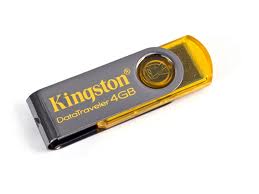
I use the PS2 slim type SCPH-79006, kingston 4GB USB brand, already in testing with the game winning eleven 10, NFS most wanted. the result is smooth, loading may be slower game split second.
fortunately many tablets play ps2 from flash or HDD .. in addition to its optical Melepasmu * durable * anyways optical ps2 price also muahal anyway. oke deh more ...
You need a minimum of 4GB flash (ps2 game big bro) ni flash image that I use ..
aja ni direct material
copy all the files *. elves to flash you. oiya .. because the flash must be fat32 format ntfs format can not kebaca, how to format it really easy to just plug your flash pc then right click on your flash drive and select format fat32 n start. DONE ...
extract so you got the file and then burn it to a cd ULE_CD.ISO
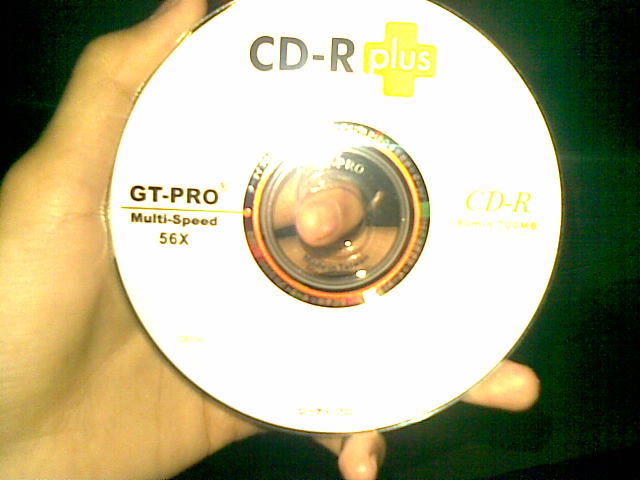
ulaunch.iso burn to regular cd aja. remember that in burn quite ulaunch.iso wrote, then can not use the cd that the model can be removed again contents (cd RW intention) software burn misalNero use by right clicking on ulaunch then click open with nero and ready to burn. ni image
CDs that I use.
dah-burn? immediately wrote earlier tapes run into your ps2. The way to get into ulaunchelf explorer, might be rather difficult later on you to read the optics ps2 cd burn results earlier but just try to continue to be yaa. I wrote until 2 cd burn for his ulaunch * because * dah stress
ni image if already entered into ulaunch
plug your memory card into the port 0 >> diplayer 1 memory card means that you know. then flash plug in the usb port also his.
go to mass copy and paste :/ :/ BOOT.psu to mc0 gini on how to press R1 and select copy BOOT.psu file and press triangle to go back to the start menu, then go to mc0 :/ press R1 and then select PsuPASTE!!! wait until the process is complete. masukmass :/ and then copy and paste all the files *. ELF to mc0 :/ BOOT / PASTE ... finished.
Keith finished eh ding * haha * now go to the folder and then click FreeMcBoot mass :/ (press circle) on file FREE MCBOOT.ELF. You will be taken to mcboot installer, then do a normal install or multi version install * also * to finish the process and then turn off your ps2 and dislodged his tapes and CDs restart your ps2, memory card still in the plug
next after the ps2 in turn will perform his boot free McBoot
Free McBoot Configurator select and press X if there is a small information box. then pilihConfigure OSDSYS options and select Configure ... item 1: ulaunchelf press X then

1 item settings
name: uLaunchELF >> rename up to you
path1: mass :/ BOOT / BOOT.ELF >> MC0 :/ BOOT / BOOT.ELF
path2: MC? :/ BOOT / BOOT.ELF >> delete / clear
path3: MC? :/ B? DATA-SYSTEM/BOOT.ELF >> delete / clear

The above means the ">>" is at right ya change like the line, so the line was changed to the left as the right line. do not forget to look at the bottom of your TV screen (red writing) .. there is a ps2 stick you key information eg X button: to browse, button O: to clear. etc.
if already done press triangle once then still a highlight in the configure item 1 and press the right button on the Configure item 2: ESR and press X or Ok.

Item 2 settings
Name: ESR >> rename OpenPS2Loader
path1: MASS :/ BOOT / ESR.ELF >> MC0 :/ BOOT/OPNPS2LD.ELF
path2: MC? :/ BOOT / ESR.ELF >> delete / clear
path3: MC? :/ B? DATA-SYSTEM/ESR.ELF >> delete / clear

  press the triangle up to the start menu on free mcBOOT configurator then select save CNF to MC0. DONE .... reset your ps2
okay we continue ... after you restart your ps2 and into OpenPS2Loader * memory card * still attached. after loading the page will appear on its OPL blue background * his * select settings and change this line ..

USB devices start off change to auto mode
HDD device start off change to auto mode

then finish / ok and select save changes.

now looking for a game that would stay in place to flash / hd
download
The first step input ps2 game disc to DVD-R or DVD-RW DIPC you then open DVD Decrypter
will automatically decrypt dvd to dvd-r target you
on the mode> iso> check Read R. then select the menu File> Decrypt and wait until the process is complete. if the file copy process is complete *. iso from dvd Decrypter into flash or HDD but before you first make a folder with the name of the DVD danCD in flash or HDD you .. nah files *. iso earlier in the paste in the folder on flashhdisk DVD / HDD you. after the copy process is completed, then copy and paste the program that you downloaded earlier iso2OPLSCAN copy to flash and then double click the program ... and sorted out deh, wrote just plug the stick into your ps2 and turn on the ps2 and into openPS2loader and just select the list that you want the game to play . good luck ...


how to change we10 song / winning eleven ps2


This time tips about how we change the song in Winning Eleven 10. We will change the song is a song that when we go on the menu or when we do the preparation of formation, there is no backgroung song. Nah. The song which we will later replace.
First, what we do is prepare the track as track replacement. Example here I want to put songs Sindentosca song "cocoon".
Required software is

The trick is as follows:

Open GoldWave
Open the file by clicking File --- Open.
Then open the song file that we will use as a replacement.
Now we change the duration of a 1:59.992.
Click Edit and select Set Marker choose.
  And it will appear like this picture:


Change in box Start a 1:59.992 as shown below:


And click OK
Press the Delete key on your keyboard to eliminate Deleted Area
So that at the end of the song engga stopped so, then we add the effect, so that his voice getting smaller until it stops, how, by left-clicking rescan end "song
  as shown below


Then click Effects, select Volume, then click Fade out, the contents of 100, OK, then as shown below


In the picture above still looks dark because the area is a selected area. To eliminate the Selection area select Marker click Edit and select set. Start boxed contents with the number 0.
And the image will be bright like this:


After that we save into wav format. Click the File Select Save As


If it is set as shown above, and press Save.

After we save the wav file, selanjunya step is to change the wav file into adx file which will we mesukkan file to Winning Eleven 10.
Follow these steps:
Open DKZStudio:
Click on Tools select Multi ADX <-> WAV (Multi ADX and WAV Converter)
Fill in the source folder (where we save the wave file). Mode select convert WAV -> ADX. Specify the storage destination folder.


After that click Start. And wait until the process is complete convert


Click OK and Exit.

Let us check whether the file was already terconvert wave into adx file. Here I convert file adx on dive C:


Once the file has finished ADXnya we make, are now staying put in the file Winning Eleven 10.
Open the file and open DKZStudio WE 10.iso.


Double click the file 0_Sound.AFS would like the following picture:
Have you listen to his songs one by one by double clicking on the file that would listen.
After that specify the file to be replaced.

I give an example here would I replace unknow_00001.adx file with adx files that we have created.
Check the boxes for file unknow_00001.adx
Then click Edit, select Import in the Import file are marked *
Find adx file that we created earlier.


Click Open, and the file successfully imported
Let us listen to double click the file.
Now we save by clicking the disk image
Save the file with the name 0_SOUND.AFS


Click on Save. Wait until the saving process is complete.


Once completed we returned to the tab WE 10.

Tick ​​the box next to the file 0_SOUND.AFS


Click edit above --- Imports --- Import files are marked *. open file 0_SOUND.AFS that we change the song.


Click Open.
Then we click the disk image to save.
Fill in the File name (file name), Save as type (Image Files (*. Iso)).


Then click Save. Wait until the process is completed and we will get a ISO file WE 10 that we change the song.
Install Iso files using Winhiip or USBUtil.